


Description
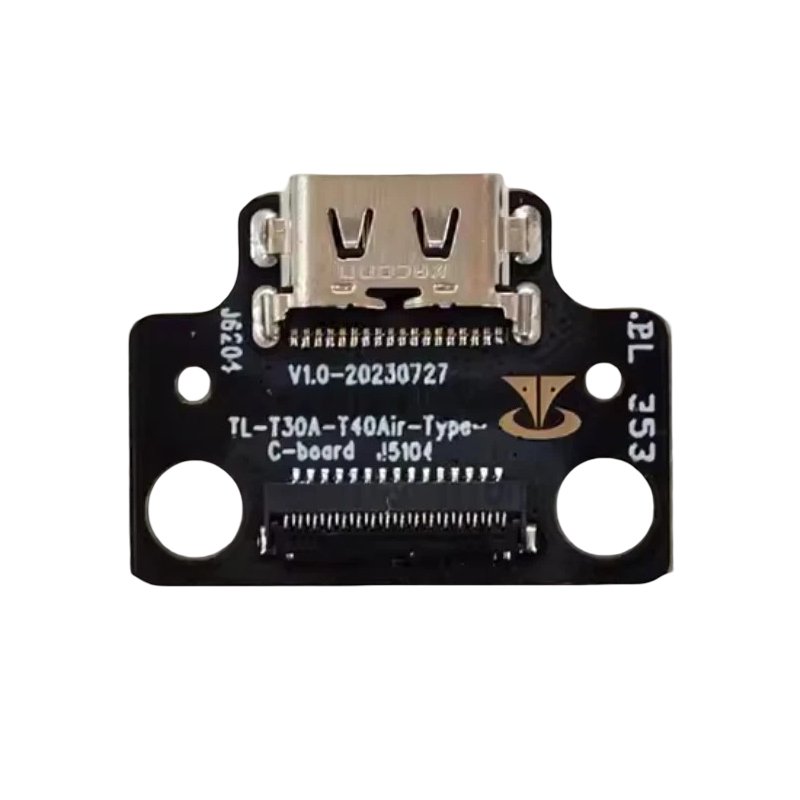
Restore your tablet’s charging connection with this Teclast T50 Plus Type-C USB Charging Board Replacement. This replacement charging dock assembly is designed for tablet repair and maintenance when the original USB charging connector becomes damaged, loose, or stops functioning properly.
Featuring a USB Type-C charging port mounted on a compact PCB, this component provides a practical replacement solution for compatible Teclast T50 Plus tablets.
Whether you are a professional electronics repair technician or a tablet owner arranging a repair, this USB charging board is a useful replacement component for restoring the charging port connection.
Product Features
- USB Type-C Charging Port: Equipped with a Type-C connector for compatible tablet charging connections.
- Integrated PCB Assembly: Charging connector mounted on a dedicated circuit board.
- Replacement Repair Part: Designed to replace damaged or malfunctioning charging port assemblies.
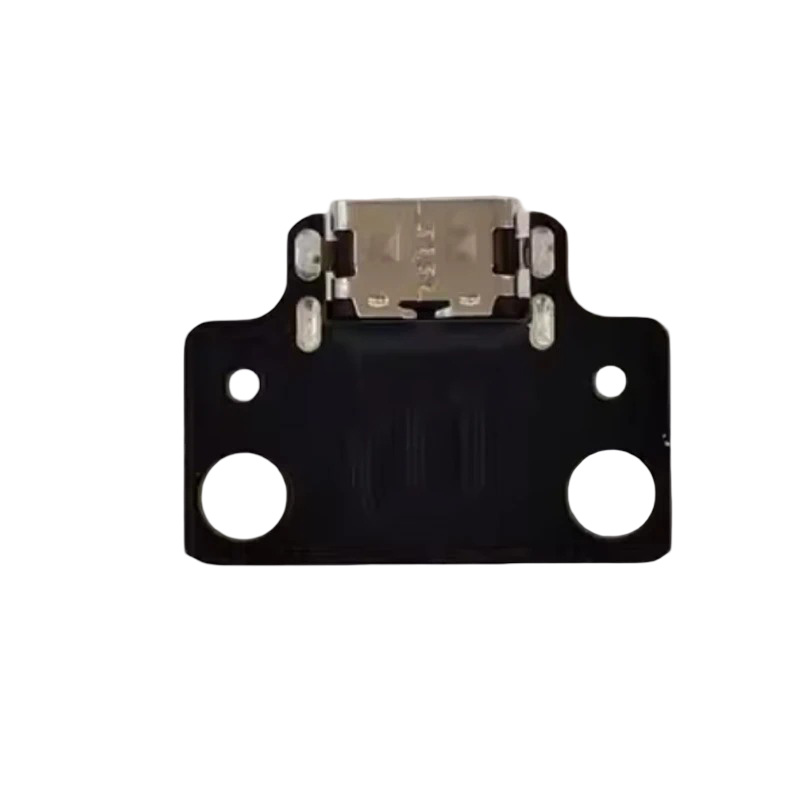
- Compact Board Design: Features mounting holes and a connector socket for internal installation.
- Repair Application: Suitable for tablet repair shops, technicians, and electronic maintenance.
Product Specifications
| Specification | Details |
|---|---|
| Product Name | USB Type-C Charging Board |
| Compatible Brand | Teclast |
| Compatible Model | T50 Plus |
| Connector Type | USB Type-C |
| Product Type | Charging Dock PCB |
| Main Function | USB Charging Port Replacement |
| Board Type | Charging Connector Circuit Board |
| Condition | Replacement Repair Part |
| Package Includes | 1 × USB Charging Board |
Compatible Model
- Teclast T50 Plus Tablet
Compatibility Notice: Please check your tablet’s exact model and original charging board before ordering. Different production batches or hardware revisions may use different PCB designs. Compare the connector, mounting holes, board dimensions, and flex cable socket with the pictures provided.
Common Reasons to Replace the Charging Board
A replacement USB Type-C charging board may be needed when:
- The charging cable feels loose when connected.
- The charging port is physically damaged.
- The tablet charges intermittently.
- The USB Type-C connector is worn or broken.
- The charging port no longer establishes a reliable connection.
Please note that charging problems may also result from a defective battery, charging cable, power adapter, or motherboard.
Installation Instructions
Professional installation is recommended.
- Power off the tablet completely.
- Disconnect the battery before removing internal components.
- Carefully remove the original charging board.
- Compare the replacement board with the original component.
- Install the new charging board and reconnect the internal cable.
- Check the charging connection after proper reassembly.
Handle the PCB and connector carefully to avoid damaging delicate electronic components.
Package Includes
- 1 × Teclast T50 Plus USB Type-C Charging Board Replacement
Important Notes
- This listing is for a charging board replacement part only.
- Tablet, battery, charging cable, and other accessories are not included.
- Please inspect the pictures and confirm compatibility before purchasing.
- Installation by a qualified technician is recommended.
Choose this Teclast T50 Plus USB Type-C Charging Board to replace a damaged charging connector and support your tablet repair needs.


Reviews
There are no reviews yet.